We will now focus on operations involving point layers. Please note that QGIS, when clipping a Point layer, also converts
its geometry type to MultiPoint. This geometry type is not suitable for some of the functions we will use in the next step
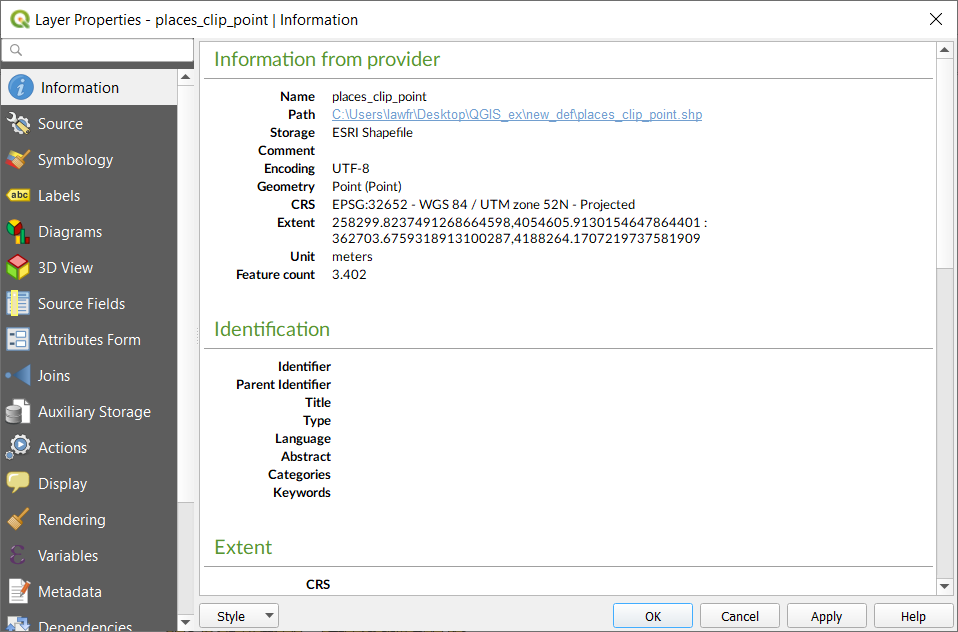
and therefore we will first see how to convert the geometry type back to Point.
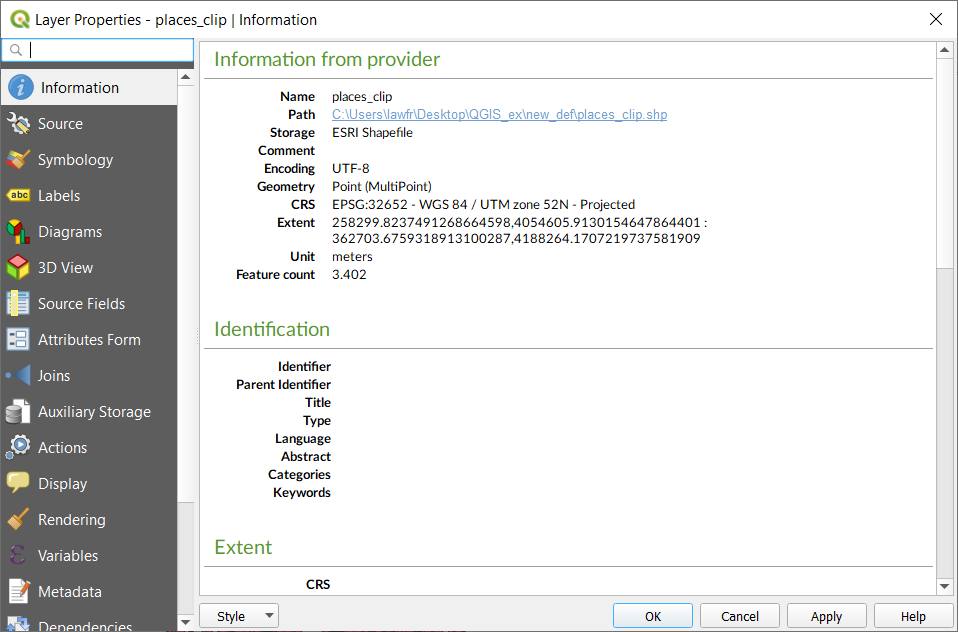
Fig. 3.4.1 In the information of the places_clip layer we can see that its geometry is MultiPoint
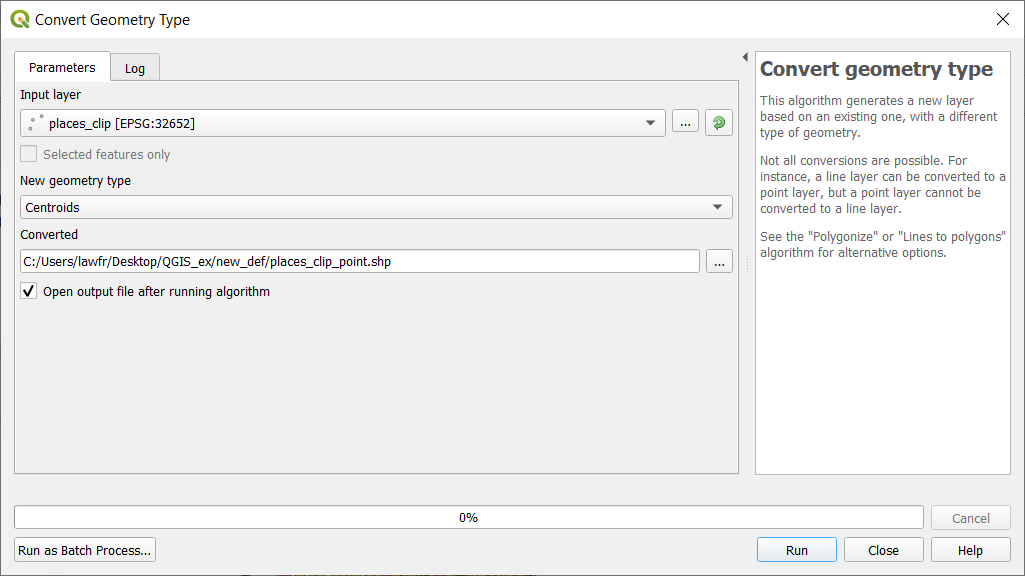
Available at Processing Toolbox->Vector geometry->Convert geometry type, it provides an algorithm that allows to convert the
MultiPoint features to single Point features. To do so, the input parameters are:
Input layer: the point layer whose geometry we want to convert. In this example we use the places_clip layer
New geometry type: select Centroids
Converted: the path and the name of the output vector layer. Note that if left empty a temporary layer will be created
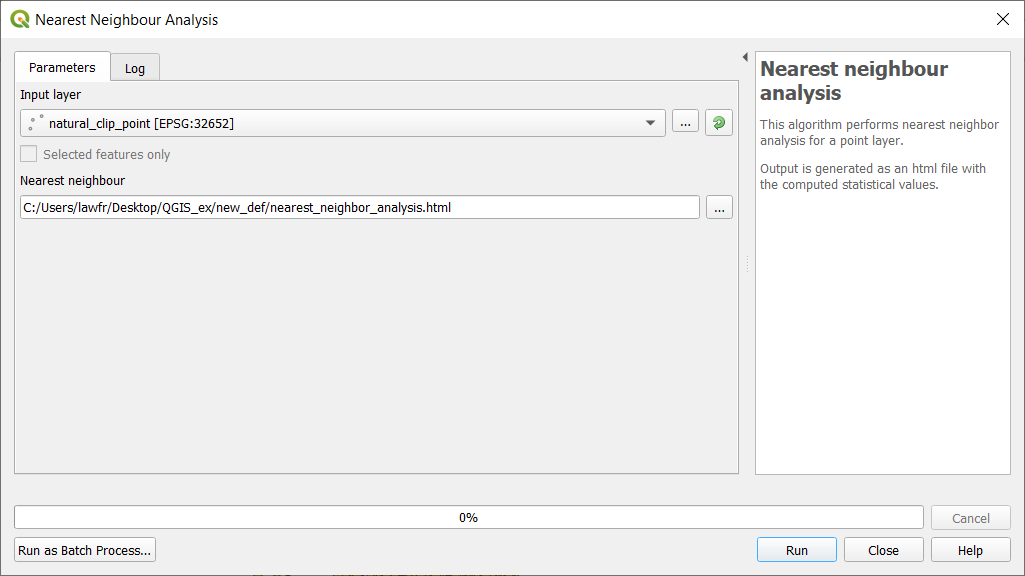
Available at Processing Toolbox->Vector Analysis->Nearest Neighbour Analysis, it provides a function that performs nearest neighbor
analysis for a point layer. The output is generated as an HTML file with the computed statistics. We perform the Nearest Neighbor Analysis
with the natural_clip_point point layer; the input parameters are:
Input layer: the natural_clip_point layer
Nearest Neighbor: the path and the name of the output HTML file. Note that if left empty a temporary file will be created
Fig. 3.4.2.1 Nearest Neighbor Analysis function window
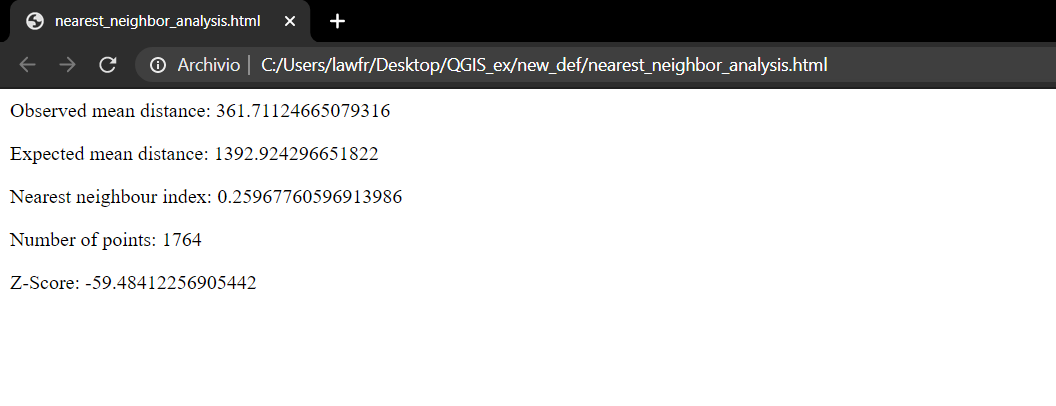
Once the operation is done, you can open the HTML file containing the results and you will see information about the Observed mean distance,
Expected mean distance, Nearest neighbour index, Number of points, and Z-Score.
Fig. 3.4.2.2 The HTML result when opened in the browser
We now see how to calculate the nearest feature to a given point or set of points in QGIS. We distinguish between distances from point to point,
and from point to a line or polygon layer.
Available at Processing toolbox->Vector analysis->Distance to nearest hub (points), it provides an algorithm that computes the distance between
point features taken as the origin and their closest point destination. In this case, we will calculate the distance from the
places_clip_point layer to the natural_clip_point layer. The input parameters are:
Source points layer: the places_clip_point shapefile
Destination hubs layer: the natural_clip_point shapefile
Hub layer name attribute: osm_id
Measurement units: meters
Hub distance: the path and the name of the output vector layer. Note that if left empty a temporary layer will be created
Fig. 3.4.3.1 Distance from point to point function window
The result is a copy of the places layer, but each point feature has two additional attributes: the id of the nearest natural point feature
(HubName) and the distance from it (HubDist), as you can see from its attribute table:
Available at Processing Toolbox->Vector analysis->Distance to nearest hub (line to hub), it provides an algorithm that computes the distance between
point features taken as origin and their closest destination line or polygon feature.
Note
Distance calculations are based on the centroid of the line or polygon features.
In this case, we calculate the closest forest to each place. To do so, we select all the forests from the landuse_a_clip layer:
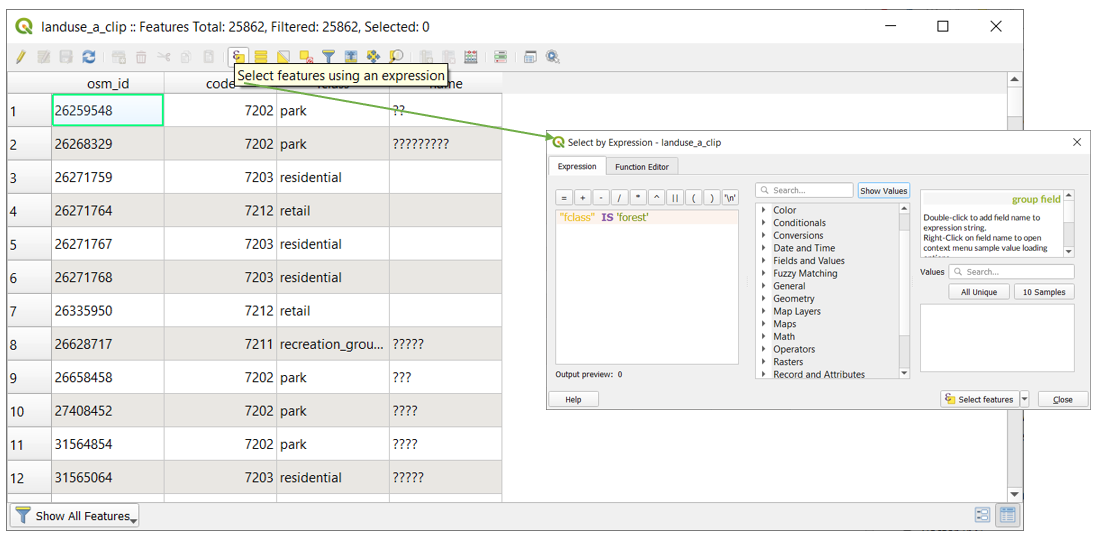
Right-click on the landuse_a_clip layer in the Layers panel and click on Open attribute table
Click on the Select features using an expression button
In the window, write the following expression: "fclass"is'forest', and then click “Select features”
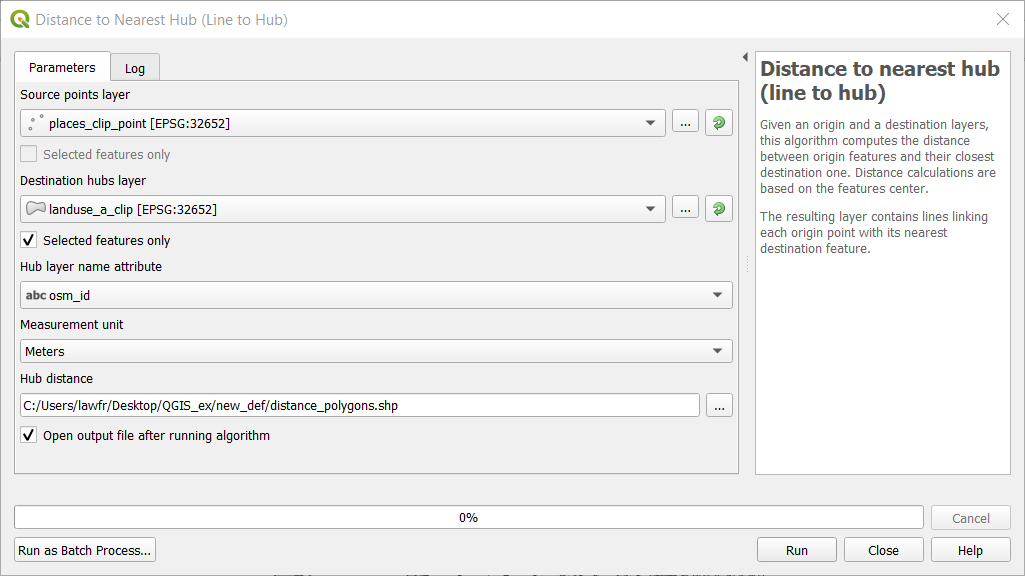
Once we have selected all the forests from the landuse_clip layer, we can run the Distance to nearest hub (line to hub) function.
The input parameters are:
Source points layer: the places_clip_point layer
Destination hubs layer: the landuse_a_clip layer, considering only selected features
Hub layer name attribute: osm_id
Measurement units: meters
Hub distance: the path and the name of the output vector layer. Note that if left empty a temporary layer will be created
Fig. 3.4.4.1 Distance from point to layer function window
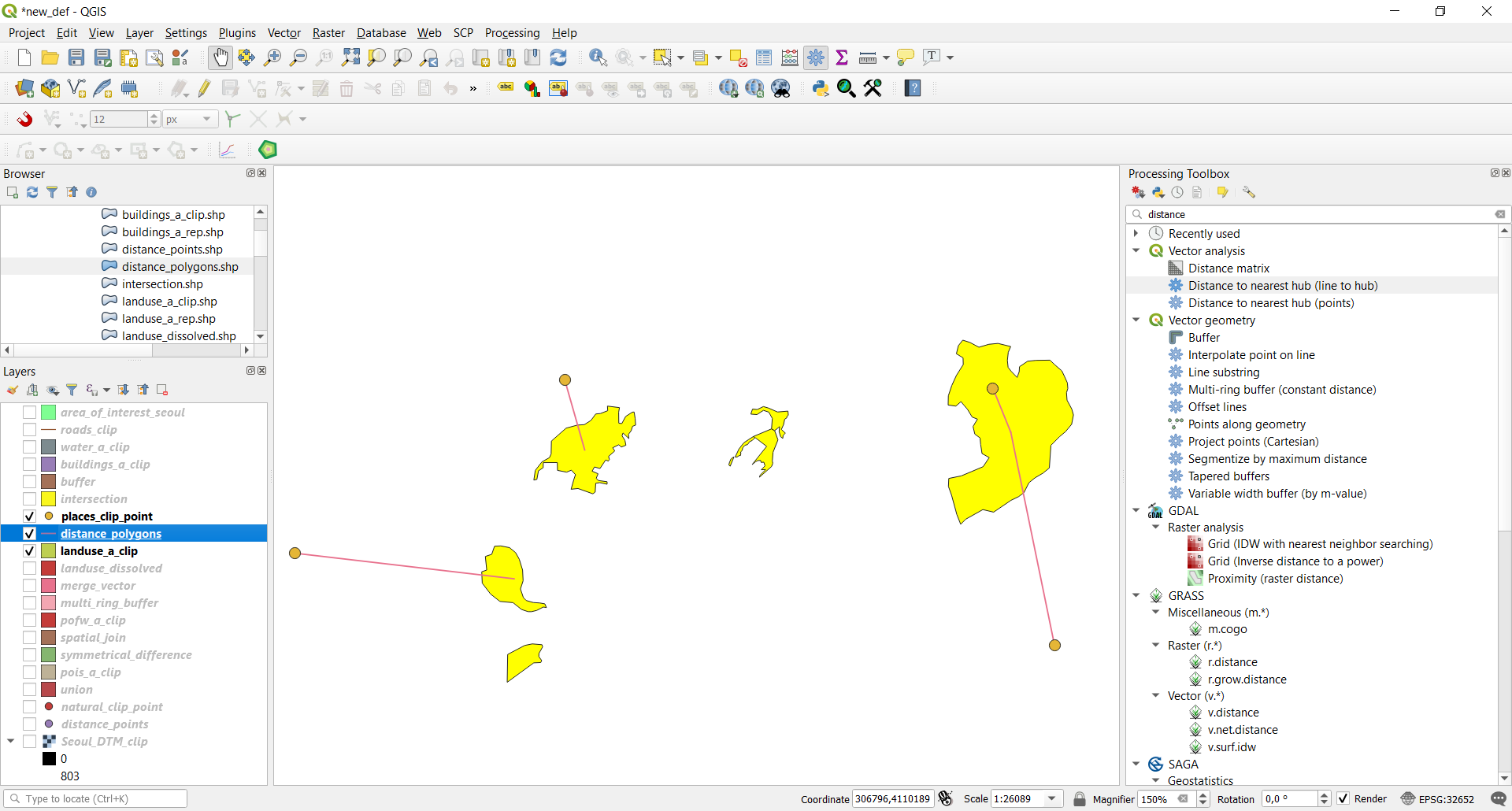
The result is a line layer representing all the distances from each places point feature to the nearest forest feature.